Git Cheatsheet
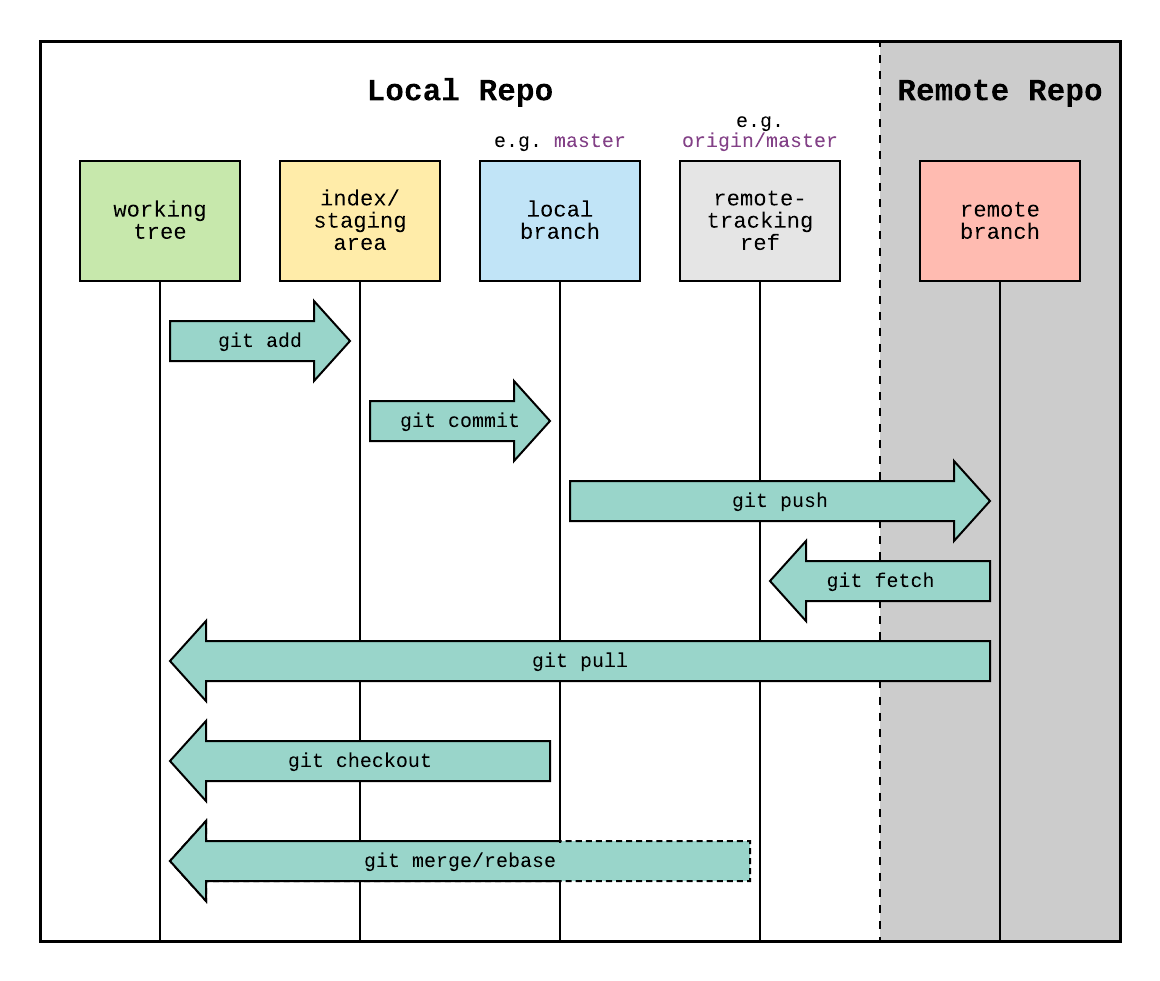
Basic workflow
$ git config global your_setting your_values
$ git init (new_repo_name)
$ git status
$ git add file_name
$ git rm file_name
$ git commit -m "commit_message"
$ git restore # discard changes before committing
$ git revert # discard changes after committing
$ git reset  # remove files from the staging area/rewrite the current branch to point to the specified commit (hash, branch or tag name)

$ git clone clone_source name_of_replicates
$ git remote add remote_name remote_url/path   # the remote_name is created by you
$ git remote add origin remote_git_repo # set remote git
$ git push -u origin master

$ git annotate file  # more info than git log; it shows who made the last change to each line of a file and when
Git history
$ git log
$ git log -p # show the recent changes
$ git log --oneline
$ git log branch1..branch2 # show logs of branch2 relative to branch1
$ git log file_name # history for a specific file or directory
$ git log --pretty=oneline # one line display
$ git log --pretty=oneline --author=<your name>
$ git diff commit_ID_1 commit_ID_2 (file_name)
$ git blame # to check most recently who wrote the lines; good for debugging
Git branch & version control
$ git branch new_branch
$ git checkout branch_name  # switch to that branch
$ git checkout -b new_branch_name  # switch to the new branch
$ git checkout --.  # discard all the changes
$ git checkout master # back to the master branch
$ git diff sth1..sth2  # sth can be commits. branches, etc
$ git fetch # fetch new commits from the remote, but not merge into local branches
$ git merge branch_1, branch_2 # does not automatically fetch new changes from the remote repository, so need to fetch first
$ git pull remote-name branch-name # pull = fetch + merge
$ git push remote-name branch-name  # git push origin master
They differ in commit history: rebase leaves the chain of commits linear and much easier to read than merge.
Don’t use rebase …
- If the branch is public and shared with others. Rewriting publicly shared branches will tend to screw up other members of the team.
- When the exact history of the commit branch is important (since rebase rewrites the commit history).
Given the above guidelines, I tend to userebasefor short-lived, local branches andmergefor branches in the public repository.